

Link Detection
Recognize destination links inside the publishing workflow.
Explore →See how a link will appear before it goes live. Upnext can use the original page title, description and image automatically, or let you customize the preview image, title and description inside the Facebook publishing workflow.
Keep link presentation connected to publishing, branded domains and measurement.
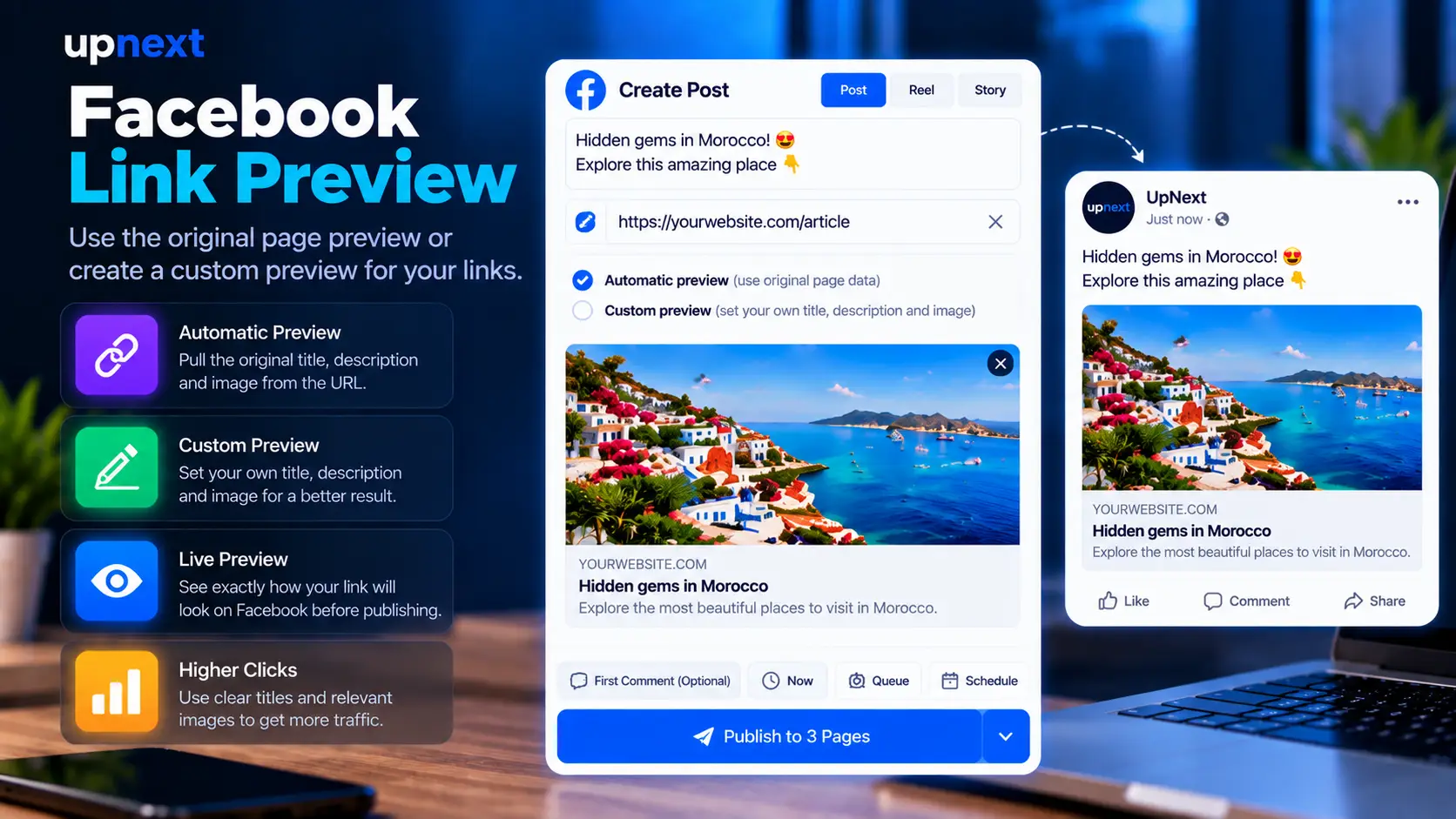
The preview controls sit directly inside Create, next to the live Facebook post preview and the tracking options used for traffic publishing.
When a supported destination is used in the publishing workflow, Upnext can use the original page metadata for the preview. Automatic mode keeps the page title, description and image together without requiring the publisher to rebuild the preview manually for every post.
To choose a different preview image before publishing, open Create and add your destination link. In the Link preview controls, switch from Automatic to Customize.
Automatic mode uses the original page metadata. Customize mode lets you choose a different presentation for the publishing link; it does not edit the image or content on the destination website.
This workflow is for preparing a post before publication. The composer preview helps you review your choices, but it is not a guarantee that Facebook will display every element identically.
The live preview sits beside the composer. This makes it easier to inspect the post copy and the resulting link card in one place instead of treating Open Graph metadata as a separate technical task.
Preview presentation and link routing are separate controls. Publishers can connect a custom publishing domain, select a verified branded domain for the link, and still choose whether Facebook receives the automatic or customized preview.
Facebook link detection identifies the destination inside the publishing workflow. This page focuses on the next step: controlling the title, description and image Facebook displays. For destination and domain controls, use the Facebook Link Customizer.
Upnext keeps preview controls beside Facebook click tracking and automatic UTM tracking. That lets publishers work on presentation and measurement inside the same publishing operation.
Detect the link, choose the domain, use the original preview or customize it, inspect the live Facebook card, then publish and measure the traffic.
Yes. Automatic mode uses the original page title, description and image for the link preview.
Yes. Upnext lets you switch to Customize and set the preview image, title and description before publishing.
Yes. The Create workflow includes a live Facebook post preview beside the link preview controls.
Yes. A verified branded domain can be selected for the publishing link while the preview is handled automatically or customized separately.
Yes. Click tracking and Auto Dynamic UTM are part of the same Upnext publishing workflow.
Use automatic metadata or customize the image, title and description while keeping domains and traffic tracking connected.
Try Upnext Free →