

Domain Rotation
Manage and switch between multiple publishing domains.
Explore →Connect a branded domain or subdomain to Upnext, verify its DNS, activate HTTPS and use it inside your Facebook publishing workflow. Keep the domain your audience sees connected to link customization, UTM tracking and traffic analytics.
Upnext keeps custom-domain setup inside the same workspace used for publishing and traffic operations.
Add the hostname you control, follow the DNS instruction shown by Upnext, then verify and activate it before using it for publications.
Use your own domains for trusted, branded Facebook traffic links.
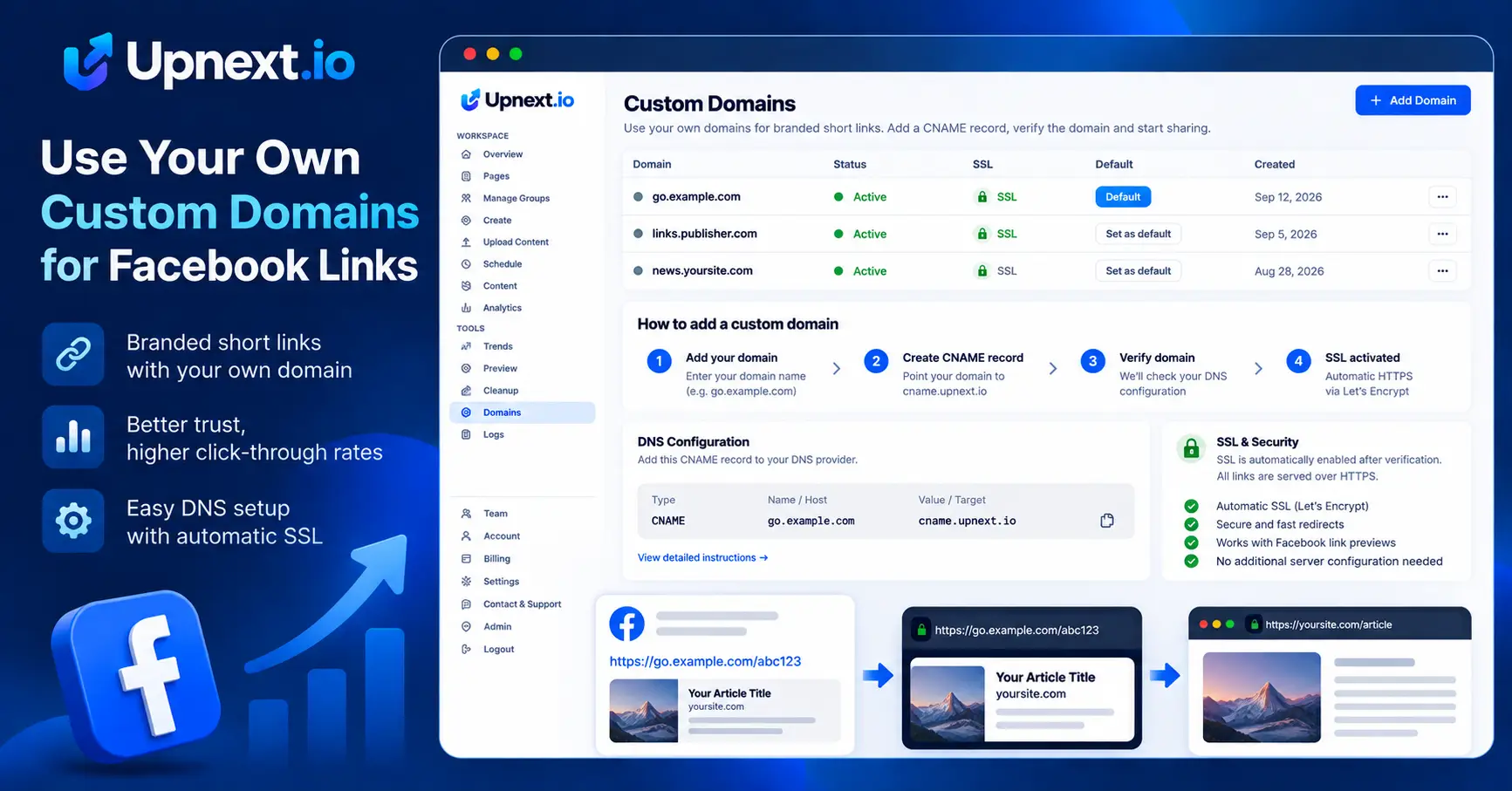
A custom domain keeps the hostname used in your publishing workflow under your brand instead of relying on a generic shared link domain. For publishers operating multiple websites or brands, it also makes domain selection part of the publishing process rather than a separate manual step.
Open the Domains area in your workspace and add the hostname you want to use. Upnext validates the domain, keeps it attached to the current workspace and shows the DNS step required for verification.
For a publishing subdomain such as go.example.com, point its CNAME to cname.upnext.io. Upnext checks the DNS record before activating the domain. This prevents an unverified hostname from being selected as a live publishing domain.
Once DNS is correct, Upnext provisions the domain for the publishing service and configures HTTPS. The workspace marks the domain active only after the setup succeeds.
A verified, active domain can be selected as the workspace default. You can then keep routine publishing consistent while retaining domain controls for workflows that require another destination.
Custom domains are not isolated from the rest of Upnext. Use a verified branded domain with the Facebook link preview workflow, then combine it with the Facebook Link Customizer, automatic UTM tracking and Facebook traffic analytics so presentation, publishing hostname and traffic attribution stay inside one workflow.
Custom Domains covers connecting, verifying and activating domains you control. Facebook Domain Rotation covers managing and switching between multiple domains during publishing. Keeping these intents separate makes it easier to choose the right workflow.
Connect the domain once, verify it, then use it alongside multi-Page publishing, link customization and traffic measurement.
Yes. Add a domain or subdomain to the workspace, configure the DNS record shown by Upnext and verify it before using it for publishing links.
For a subdomain, Upnext checks that the required CNAME points to cname.upnext.io. After DNS verification, Upnext activates the domain and configures HTTPS.
Yes. A verified and active custom domain can be selected as the workspace default.
Yes. Custom domains sit inside the same workflow as link customization, automatic UTM tracking and traffic analytics.
Verify your hostname, activate HTTPS and keep branded links connected to measurable Facebook traffic.
Try Upnext Free →