

See Which Facebook Pages and Posts Actually Drive Clicks
Measure Facebook website traffic by Page and publication, compare tracked clicks across your Page portfolio, and connect distribution decisions to the articles and links that actually send readers.
Facebook Traffic
Choose a reporting periodRead Facebook traffic by Page, post and publishing activity
Upnext connects tracked clicks to the Facebook Pages and publications used in your publishing workflow. Traffic measurement is one stage of the complete publishing workflow, connecting distribution with analysis and the next content cycle. Switch reporting periods, compare the traffic evolution with published-post activity, then move between Page-level and post-level results to find where clicks are actually coming from.
This is a view of link activity and publishing context. Check Facebook Insights for Reach and Impressions, and use website analytics for sessions, engagement and conversions.
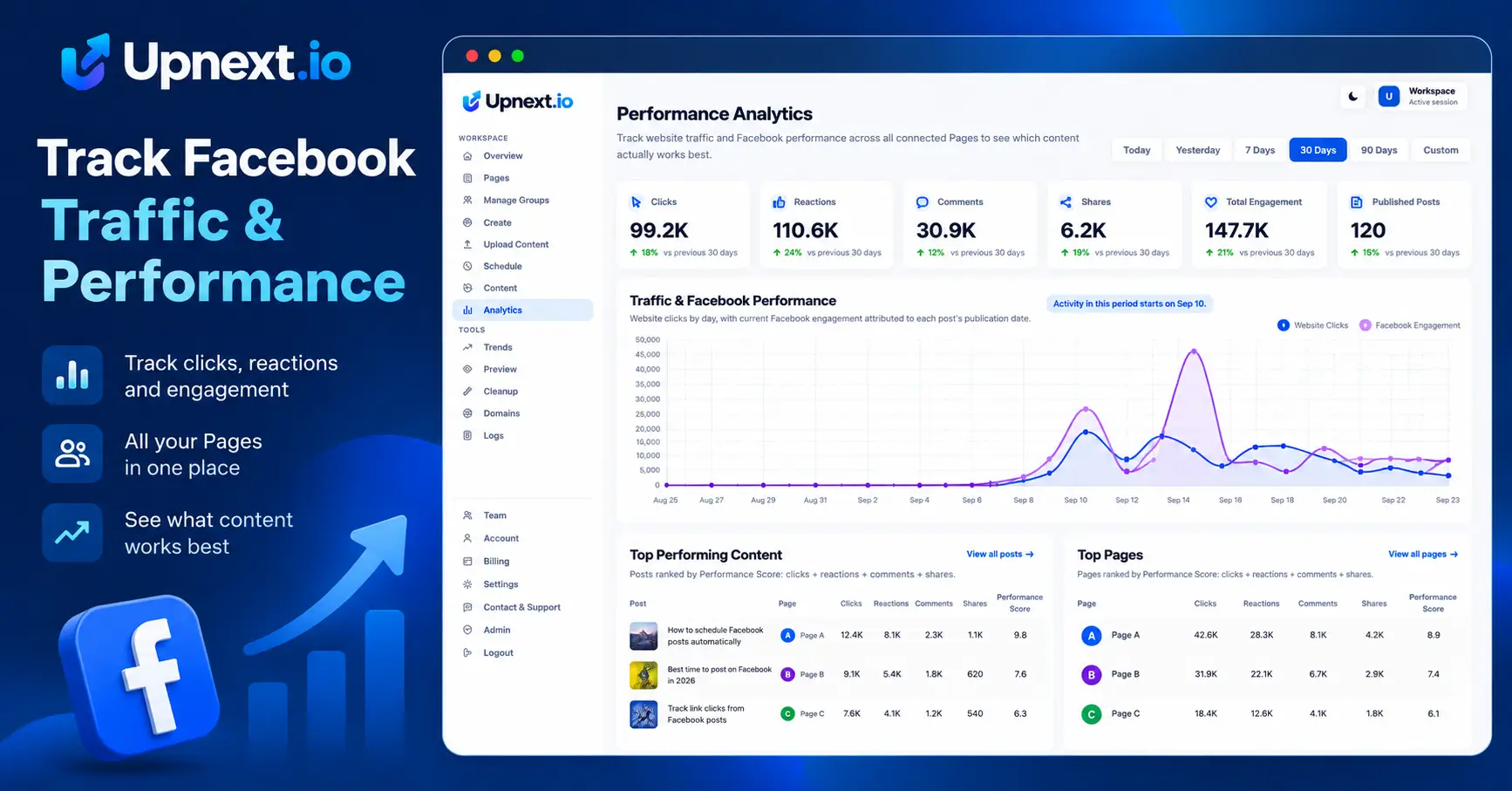
Read the report in a consistent order
- Choose a reporting window that matches the question you are investigating.
- Compare Page-level tracked clicks and publishing activity.
- Inspect the publications behind unusually high or low totals.
- Open the destination and review the content, link and timing.
- Check the website’s results before deciding which work to repeat.
| What you see | Useful follow-up |
|---|---|
| A Page sends fewer clicks | Check post volume, topic mix and native impressions |
| One article accounts for most clicks | Inspect the topic and reporting window before generalizing |
| Clicks rise but website results do not | Check destination loading, session measurement and visit quality |
| An evergreen post performs well again | Review whether another future publication would still be useful |
Measure traffic across a high-volume Facebook publishing operation
For publishers running many Pages, a Facebook traffic report becomes more useful when it preserves Page and publication context. Compare the Page portfolio first, then drill into the individual posts behind the totals instead of treating all Facebook referrals as one channel.
Separate volume from efficiency
A Page that published more articles may generate more total clicks without every post performing better. Compare the content mix and publishing activity alongside the totals.
Use consistent windows and examine more than one campaign. A breaking-news spike and a steady evergreen series have different patterns, even when their totals are similar.
Keep link setup separate from report interpretation
Use the Facebook Link Tracker workflow to prepare measurable destinations. Add UTM labels when you need campaign attribution in your website analytics.
The traffic tracking guide explains the connection between Page copies, publications, clicks and website results. Consistent setup makes the comparisons more useful.
Turn a finding into a publishing decision
Review relevant follow-up topics, rethink weak link presentation or investigate a Page whose distribution changed. Keep native Facebook metrics in the diagnosis rather than treating a click decline as proof of a reach restriction.
When content remains accurate, consider a controlled return to the queue. When a destination is outdated, update it or stop promoting it. Upnext gives you the publishing and measurement tools; results depend on the content, audience and destination.
Try the workflow with your Facebook Pages
Build a complete Facebook traffic tracking workflow
Traffic measurement starts before a post is published. Use the Facebook Link Tracker to connect links with publications, automatic UTM tracking to keep campaign attribution consistent, and the Facebook Link Customizer when a destination needs to be adjusted before publishing.
Publishers managing several websites can also use custom domains for branded publishing links and Facebook domain rotation to manage approved destinations across their workflow. Upnext can detect links in Facebook content so link-related publishing controls stay connected to the post being prepared.