

Link Customizer
Recognize and customize URLs before publishing.
Explore →Add verified domains to a rotation pool and let Upnext automatically use the next domain for each Facebook Page delivery. Round-robin rotation keeps multi-Page link distribution organized without manually selecting a domain for every Page.
Upnext moves through your selected verified domains as content is distributed across Facebook Pages.
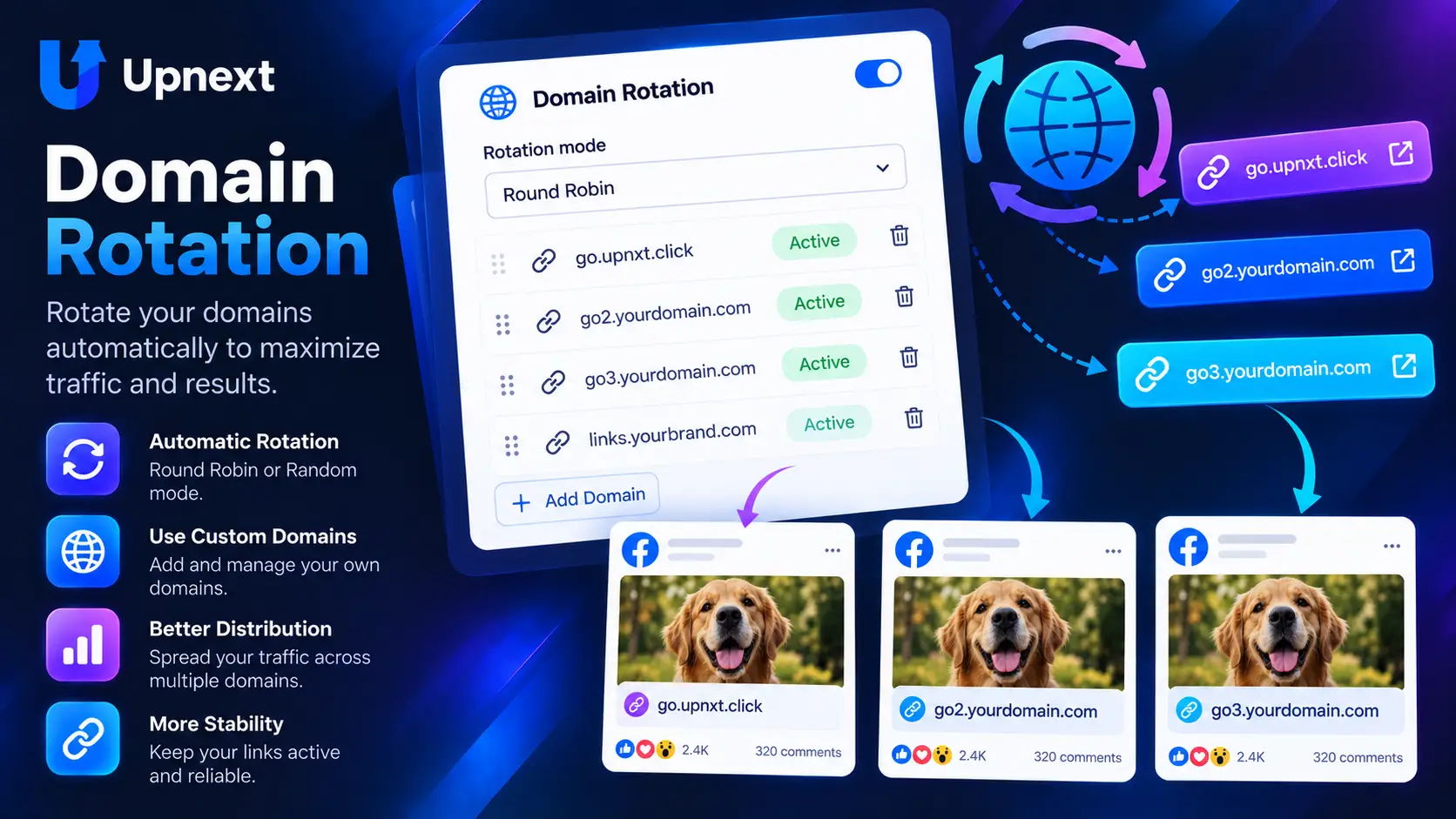
Select the domains that belong to your rotation pool. Upnext then uses round-robin rotation to move to the next domain for each Page delivery.
One publishing operation distributed across multiple Facebook Pages.
Domain rotation lets a publisher distribute Facebook links through more than one verified custom domain without choosing a domain manually for every Page delivery. In Upnext, selected domains form a rotation pool used during multi-Page publishing.
Rotation uses domains that are already available in your Upnext workspace. If you have not connected them yet, start with the Facebook custom domains guide. Domain setup and domain rotation are separate steps: first connect the domains, then decide which verified domains participate in rotation.
From Domains, enable Domain Rotation and select the verified domains you want Upnext to use. The selected set becomes the pool available to the publishing workflow.
With round-robin rotation enabled, Upnext moves through the selected domains in sequence. Each Facebook Page delivery uses the next domain in the pool instead of repeatedly using the same one.
Page A → Domain 1
Page B → Domain 2
Page C → Domain 3
Page D → Domain 1
The important unit is the Page delivery. When one publication is distributed to several selected Facebook Pages, Upnext can advance the domain between those deliveries. This makes domain rotation part of the multi-Page publishing workflow rather than a separate manual link task.
A default domain gives the workspace a normal domain choice when rotation is not being used. Domain Rotation instead works from a selected pool and advances through those domains as Page deliveries are processed.
Manual domain selection is useful when a specific publication must use a specific domain. Rotation is designed for repeated multi-Page distribution where the operator wants Upnext to handle the sequence automatically. For individual link customization, see the Facebook Link Customizer.
Domain Rotation works alongside Page selection, Page Groups, publishing queues and delivery spacing. Publishers can prepare content once, distribute it across selected Pages and let the rotation pool determine which domain is used for each Page delivery.
Custom Domains connects and verifies domains. Domain Rotation decides how multiple verified domains are used during Facebook Page deliveries.
Select verified domains for the rotation pool. Upnext uses round-robin rotation and advances to the next domain for each Facebook Page delivery.
Upnext uses the selected domains in sequence. After the last domain in the pool is used, the sequence starts again from the first domain.
Not when Domain Rotation is enabled. During multi-Page distribution, each Page delivery can receive the next domain in the selected rotation pool.
Yes. Add and verify your custom domains first, then select the domains you want to include in the rotation pool.
The default domain is the normal domain choice when rotation is not being used. Domain Rotation cycles through a selected pool of verified domains during Page deliveries.
Run the Facebook traffic workflow from one publisher-focused workspace.
Try Upnext Free →