▶
Publish now
Send a publication into the publishing workflow immediately when it does not need to wait for a future time.


Create your post once, select the Facebook Pages that should receive it, then publish now, schedule for later or add it to your queue — with control over spacing between Page deliveries.
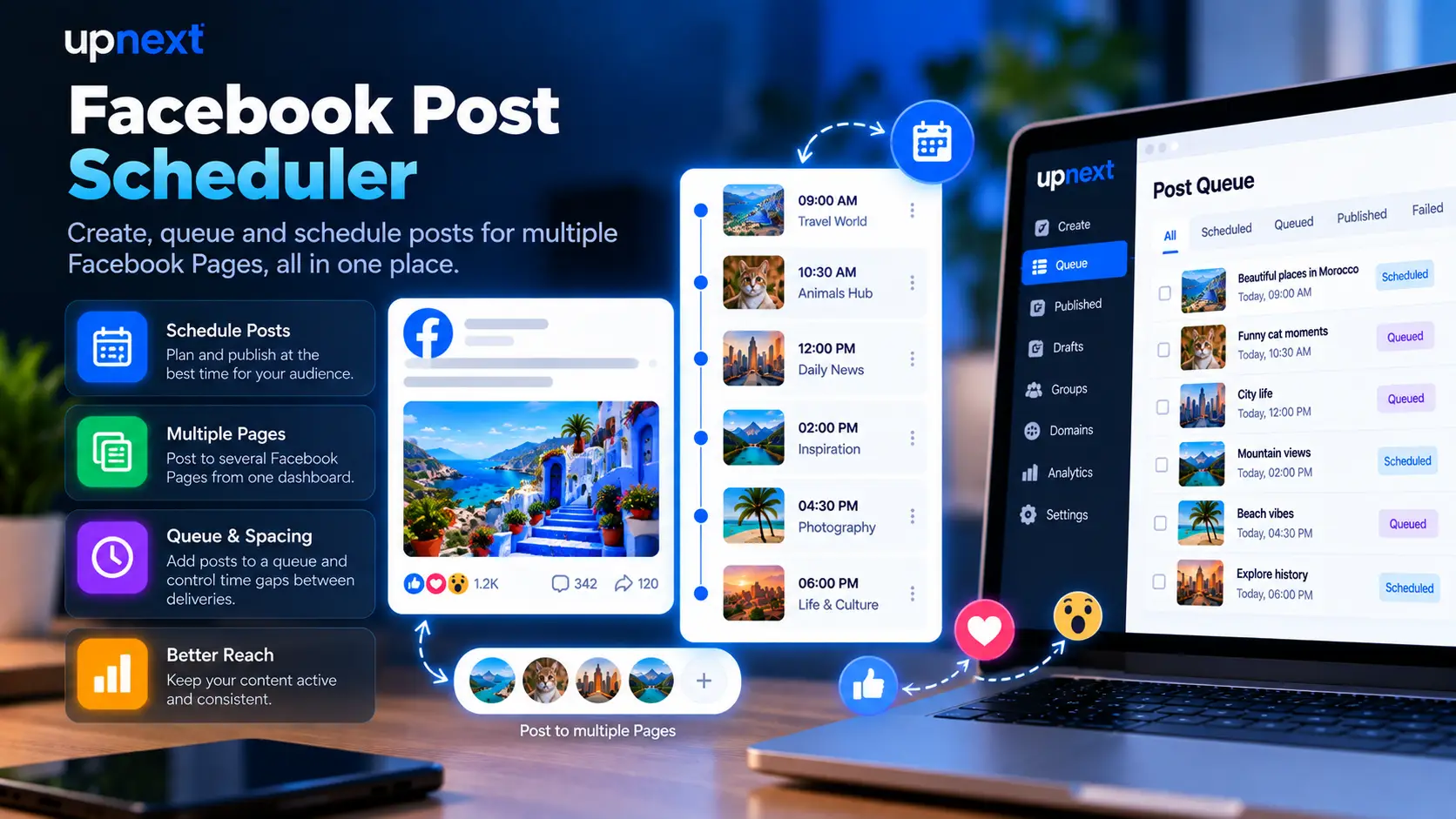
Upnext is built for teams and publishers that manage more than one Facebook Page. Prepare the content once and control when each Page receives the publication.
Send a publication into the publishing workflow immediately when it does not need to wait for a future time.
Choose a future date and time for your Facebook publication instead of publishing it immediately. If the publication also needs supporting text or a link after it goes live, Upnext can keep the first-comment workflow connected to the post.
Use the publishing queue to organize content that should follow your configured workflow. See our guide to using a Facebook post queue for recurring publishing times and queue-based scheduling, or explore the Facebook auto poster workflow for automatic publishing across multiple Pages.
Add controlled spacing between Page deliveries instead of sending every selected Page at the same moment.
Configure fixed queue times by day so your Page Groups can follow defined publishing slots.
Keep Pages, publishing, queues, content and scheduling controls together instead of managing each Page separately.
Create and schedule the Facebook content your publishing workflow needs, then manage it from the same Upnext workspace.
Schedule text-only posts or publish posts with Facebook-style colored backgrounds.
Prepare visual posts with a single image or multiple images and choose when they should publish.
Schedule posts that send your Facebook audience to articles, landing pages or other destinations.
Upload and schedule Facebook Reels alongside the rest of your publishing workflow.
Upload Story media and publish immediately, add it to your queue or schedule it for later.
Prepare a first comment with the publication when your workflow needs supporting text or a link after the post goes live.
Build the publication, select its destinations and decide how Upnext should handle the timing. For the full workflow, read our guide to scheduling Facebook posts across multiple Pages.
Prepare the post content, media and first comment inside the Upnext Create workflow. If the post is not ready yet, you can save the Facebook post as a draft and continue editing it later.
Choose the connected Pages that should receive the publication.
Publish now, add the post to your queue or select a future date and time.
Control the delay between deliveries when the same publication is going to multiple Pages.
Use Queue and Content to see what is waiting, processing or already published.
Scheduling becomes repetitive when the same publishing workflow has to be recreated separately for every Facebook Page.
Upnext lets you select multiple connected Pages and manage the timing of their deliveries from the same publication workflow.
Upnext combines scheduling with the operational tools used before and after a Facebook post is published. If a Page is currently restricted from recommendations, use our Facebook Recommendations Suspended recovery guide before returning to a normal publishing schedule.
Generate multiple Facebook-ready variations for Sales, Engagement, Traffic, News or Curiosity goals.
Prepare the first comment as part of your Facebook publication workflow.
Use tracked links and Traffic Analytics to understand which Pages and posts generate clicks.
Yes. Upnext supports scheduled publications where you choose a future date and time.
Yes. You can select multiple connected Facebook Pages for the same publication workflow.
Yes. Upnext supports configurable spacing between Page deliveries.
Yes. Queue is one of the available publishing modes alongside publishing now and scheduling for a future date and time.
Upnext supports fixed publishing schedule times and Page Group schedule slots that can be configured by day.
| Mode | Use it when | Check |
|---|---|---|
| Publish now | The content is ready and time-sensitive | Selected Pages and delivery result |
| Manual schedule | A campaign belongs at a particular time | Date, timezone and Page spacing |
| Queue | The content fits recurring publishing slots | Configured slots and the upcoming plan |
Scheduling sets the intended timing; delivery status confirms the result. Before retrying a failed publication, check whether any of its Page copies already published. If a scheduled Facebook post is not publishing, check its status, timing and Page delivery before creating a replacement.
Use the calendar to inspect the plan, and the queue guide to set recurring times. For urgent changes, review the publication’s available editing controls before creating a replacement.
Create once, select your Pages, choose the timing and keep the entire publishing operation inside one workspace.
Get Started Free →