

Facebook Publishing Tool Built for Traffic Publishers
Run high-volume Facebook publishing across multiple Pages without reducing the job to a calendar. UpNext brings Page Groups, scheduling, queues, first comments, bulk imports, traffic tracking, content management and cleanup into one Facebook traffic operations workspace.
Facebook publishing is a loop
Upnext connects the parts that matter to a high-volume Facebook operation.
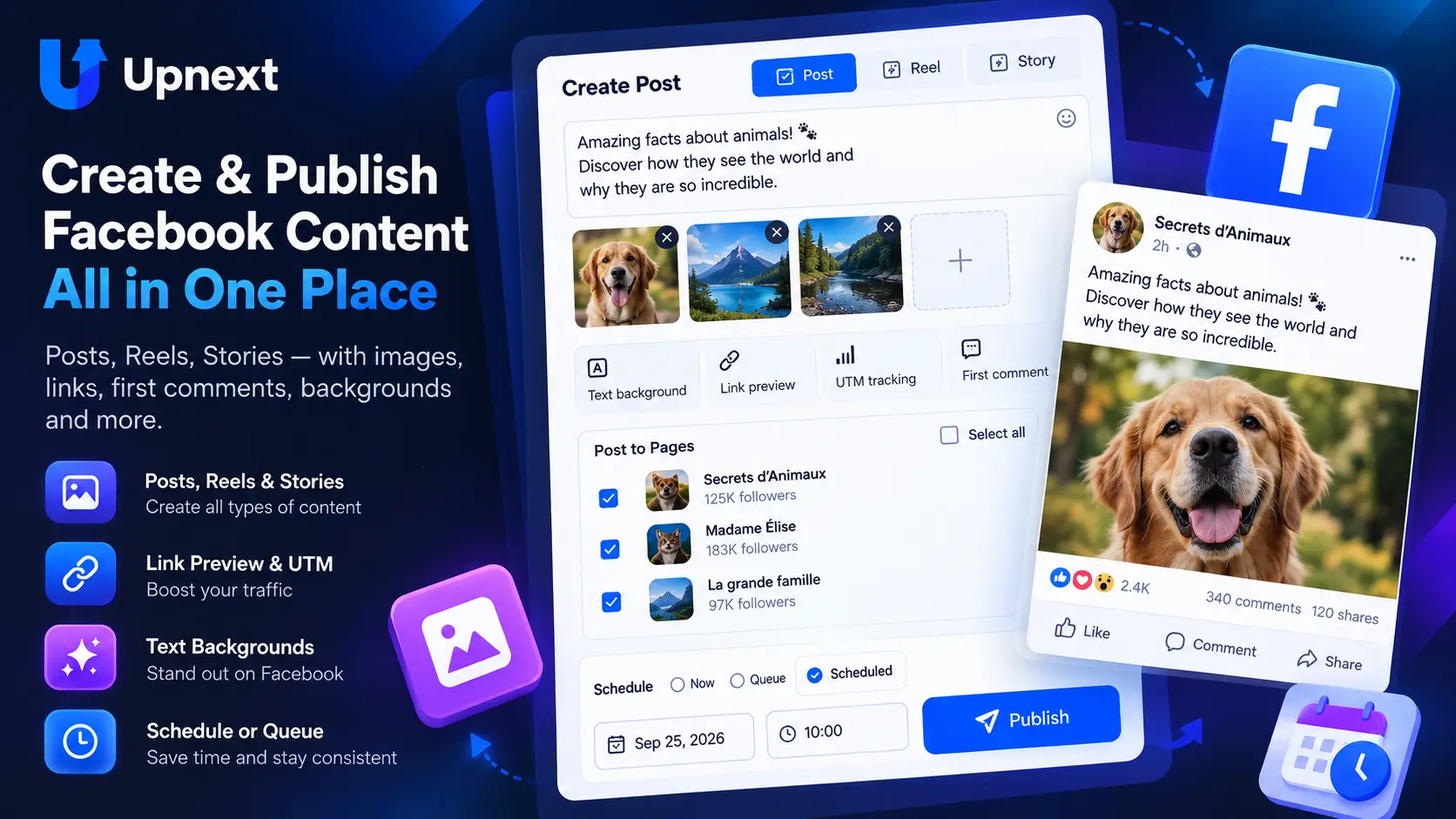
Operate a Facebook publishing workflow across many Pages
Organize destinations, prepare content, control delivery and review results without rebuilding the workflow Page by Page.
Multi-Page Publishing Workflow
A simplified view of the real Upnext workflow for publishers.
A publishing workspace for websites that depend on Facebook traffic
A publisher needs to know more than whether a post went live. Which Page sent readers? Which article deserves another run? Which old campaign should leave the publishing plan?
Upnext connects these decisions to the work that produces the traffic: creating content, choosing Pages, scheduling delivery, preparing first comments and reviewing tracked clicks.
High-volume Facebook publishing is an operations problem
Publishing at scale is different from scheduling an occasional post. As the number of Pages and daily publications grows, the repeated work becomes selecting the right destinations, keeping timing controlled, preparing links and first comments, checking delivery and deciding what to reuse or remove.
Upnext is built around that operating cycle. Use Page Groups for repeat destination sets, staggered publishing when Page deliveries need spacing, and bulk import when prepared content already lives in a CSV workflow.
Manage a Facebook Page network without treating every Page as a separate job
Publishers running a portfolio or network of Facebook Pages still need Page-level control, but they should not have to rebuild the same operation for every destination. Upnext lets you select several Pages or a Page Group, then use the appropriate publish-now, schedule or queue workflow from one workspace.
The goal is not to send every post everywhere. Group Pages by the way you actually operate—such as niche, brand or audience—and choose only the destinations that fit each piece of content. For the broader organization layer, see the Facebook Page management tool for multiple Pages.
From one article to several relevant Pages
Prepare the article’s caption and destination link once. Select the Pages whose audiences fit the story, then choose immediate publishing, a scheduled time or your queue. Use delivery spacing when the Page copies should publish at different times. For repeat operations built around prepared content, Pages and queue slots, see how the Facebook auto poster workflow brings those steps together.
A practical kitchen guide belongs on a recipes Page and a household-tips Page. A regional news Page may be the wrong destination, even if it has more followers. Select destinations for relevance before using the convenience of multi-Page publishing.
For the hands-on steps, see how to post to multiple Facebook Pages. If the article link belongs beneath the caption, prepare it with the first-comment scheduler.
Keep clicks connected to the publication
For traffic publishers, publishing volume only matters when it can be connected back to results. Use tracked links to compare the Pages and publications generating clicks, and use automatic UTM tracking when you also want consistent campaign information in your website analytics.
Upnext’s click reports and your website’s sessions answer different questions. A click does not by itself prove that a page loaded, that the reader engaged or that the visit earned revenue. Evaluate the destination’s results alongside the publishing report. See the dedicated Facebook traffic workspace for the traffic-focused workflow.
Choose what happens after publication
Review evergreen articles before placing them back into the queue. Check the destination, update stale context and choose a new publishing window. Keep breaking news and expired offers out of routine recycling.
For content that needs removal, narrow a cleanup preview by age or keywords. Review the matching posts before confirming deletion. Performance should inform these choices, but old content is not automatically bad content.
Is Upnext the right fit for your operation?
It is designed for repeat Facebook publishing across multiple Pages, particularly when website traffic is part of the business. A native tool may be sufficient for occasional publishing to one Page.
Continue using Facebook Insights for Reach and Impressions. For client approvals, a unified social inbox or broad cross-network management, evaluate those requirements separately. See plans and pricing before choosing how many Pages and publications you need.
Discover. Create. Publish. Track. Repeat.
Build a repeatable Facebook publishing workflow across the Pages that matter to your operation.
Try Upnext Free →