

Multi-Page Publishing
Publish one piece of content across selected Facebook Pages.
Explore →Create reusable Page Groups so traffic publishers can select the right set of Facebook Pages without rebuilding the same selection for every post, Story, Reel or campaign.
Keep publishing, distribution, links, measurement and content management connected.
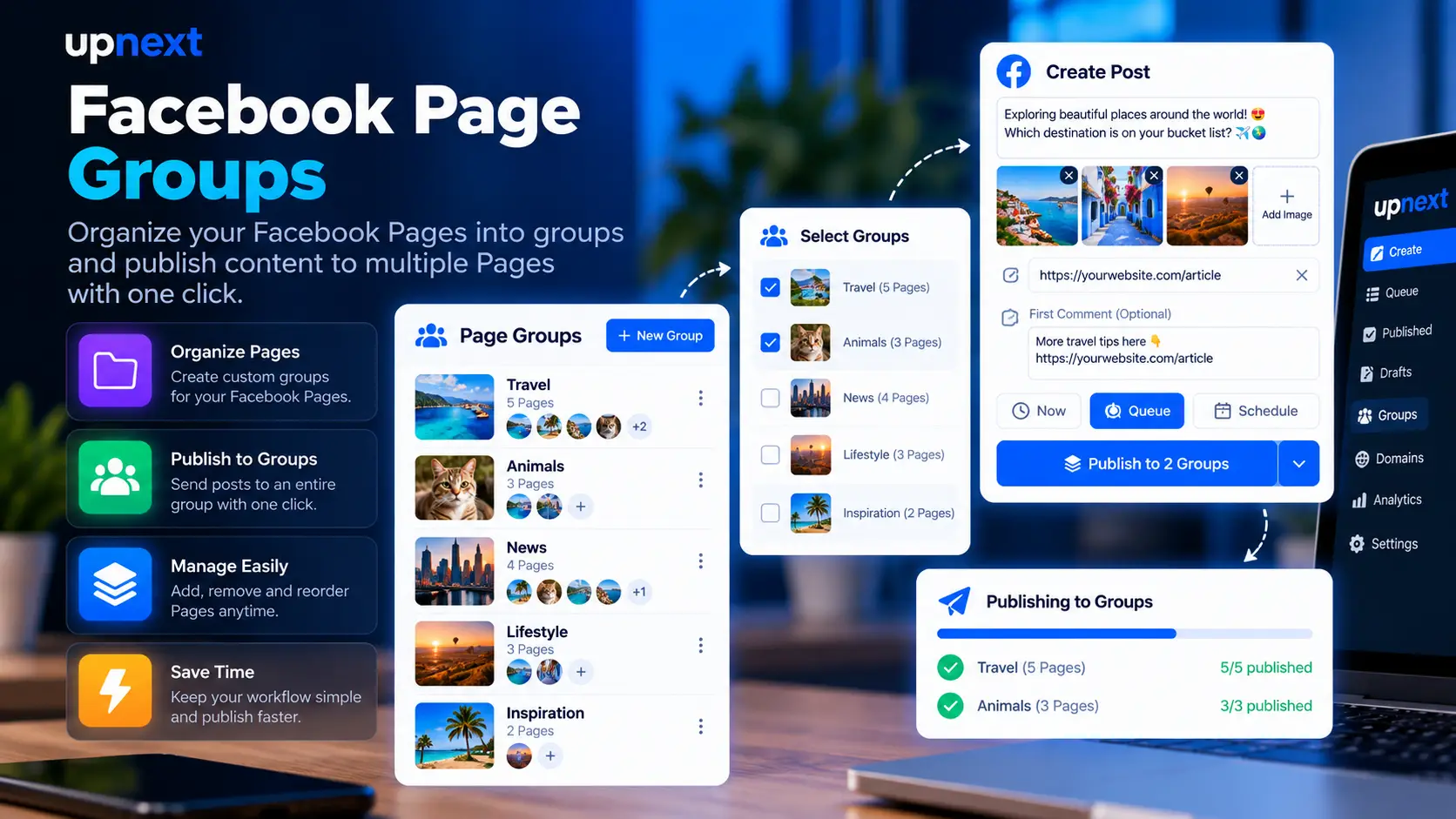
Create a Page Group once, keep its connected Pages together and reuse that destination across the Upnext publishing workflow.
Reusable destinations for your connected Facebook Pages.
Example Upnext Page Groups workflow. Group names and Page names are demonstration data.
First connect the Facebook Pages you want available in the workspace. Then create saved Page Groups for the combinations you use repeatedly. Instead of rebuilding the same destination list for every publication, load the group when that Page network should receive the content.
Page Groups are available across Upnext's publishing workflow. Select a saved group when creating a Facebook Post, Reel or Story, so the destination step stays consistent across content formats. For Facebook posts that include supporting comment content, the same destination structure can be used with first comment management. You can still choose individual Pages when a publication needs a different distribution set.
A Page Group works with the broader multi-Page publishing workflow. Depending on the publishing mode, you can publish immediately, schedule content or use Queue-based delivery instead of repeatedly selecting Pages one by one.
Upnext can associate independent Queue schedule slots with a Page Group. This lets a saved destination group follow its own recurring Queue times. When Queue mode uses a Page Group, Upnext looks for the next available schedule slot configured for that group.
Page Groups also work with Bulk Import. Choose one Page Group as the destination for imported Posts, Reels or Stories. In Queue mode, the selected group uses its own Queue schedule slots, keeping high-volume imports connected to the same reusable destination structure.
For publishing workflows that should not deliver to every Page at the same moment, combine your selected destinations with delivery spacing. Page Groups handle the reusable destination set while spacing controls the timing between Page deliveries.
Page Groups are useful when a publisher manages multiple brands, topics, regions or recurring distribution sets. They reduce repetitive Page selection and create a clearer structure for high-volume Facebook publishing without turning every group into a separate workspace.
Page Groups connect reusable Facebook Page selections with Posts, Reels, Stories, Bulk Import, scheduling and Queue-based publishing inside the same Upnext workspace.
Page Groups are reusable sets of connected Facebook Pages. Save a destination combination once and load it again when the same Pages should receive content.
Yes. Page Group selection is available across the Post, Reel and Story publishing workflows.
Yes. A Page Group can have independent Queue schedule slots. Queue-based publishing can use those recurring times to determine the group's next available publishing slot.
Yes. Select one Page Group as the destination for a CSV import containing Posts, Reels or Stories. Page Group Queue imports use that group's Queue schedule slots.
Yes. Use a saved Page Group when the same destination set repeats, or select individual connected Pages for a publication that needs a different combination.
Save the Page combinations you use repeatedly, then reuse them across Posts, Reels, Stories, Bulk Import and Queue-based publishing.
Try Upnext Free →