

Bulk Scheduling Guide
Learn the operational workflow for scheduling Facebook content in batches.
Explore →Prepare high-volume Facebook publishing without creating every item one by one. Upnext supports CSV imports for Posts, Reels and Stories, including video Stories, alongside batch media workflows.
Keep publishing, distribution, links, measurement and content management connected.
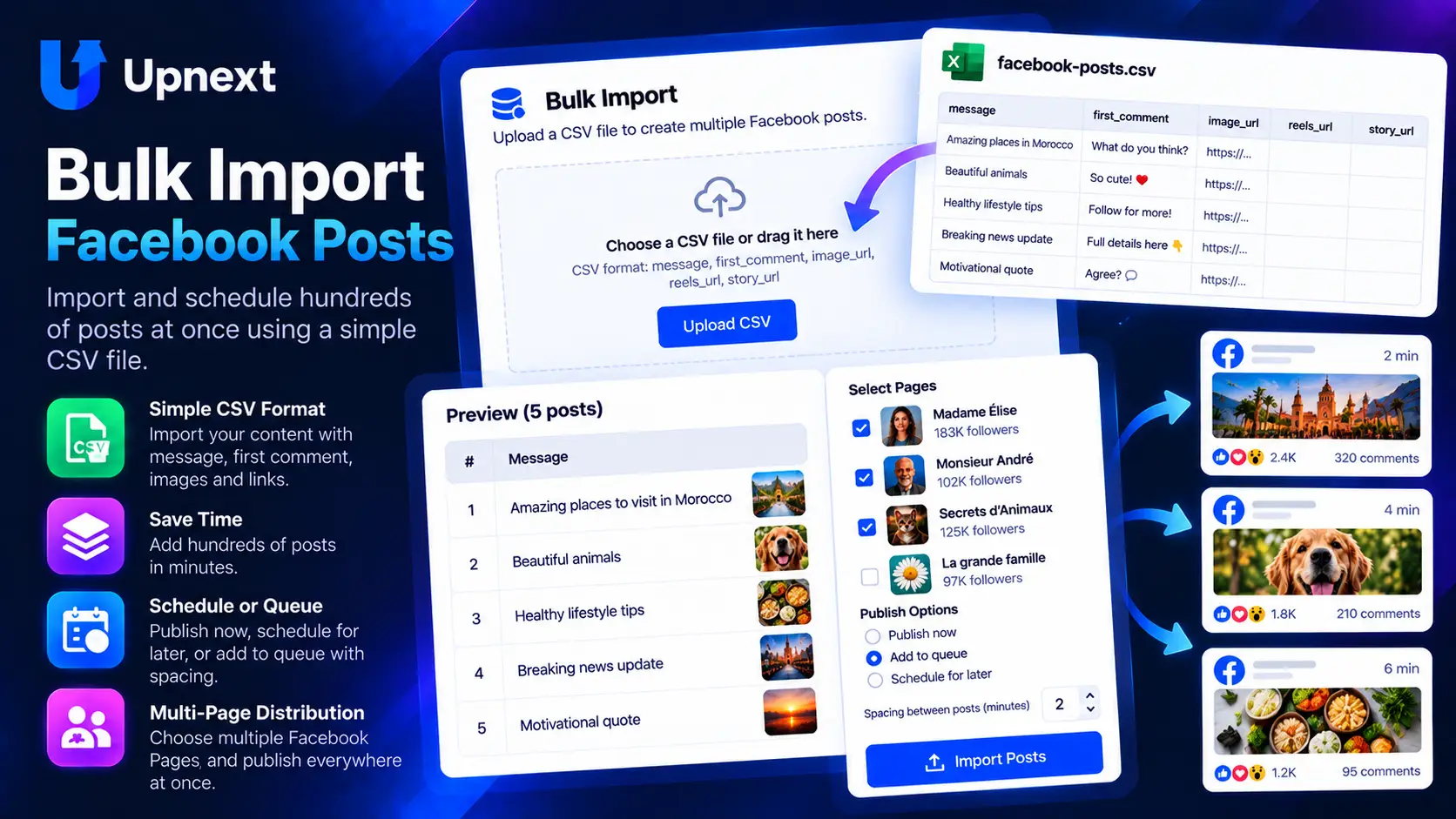
Choose the destination, upload and preview your rows, configure publishing, then apply shared link and tracking settings.
message, first_comment, image_url, reels_url, story_urlExample Upnext Bulk Import workflow using demonstration content.
Prepare a publishing batch in a CSV, upload the file and preview the first rows before importing anything. Upnext accepts up to 100 rows per import, so a prepared batch can enter the publishing workflow without rebuilding every publication manually.
Each CSV row becomes one Facebook Post, Reel or Story. The supported columns are message, first_comment, image_url, reels_url and story_url. Use image_url for a Post image, reels_url for an MP4 Reel, or story_url for a Story image or MP4 video.
Select the Facebook Pages that should receive the imported batch, or load a reusable Page Group. This keeps destination selection separate from the CSV itself and makes recurring multi-Page imports easier to prepare.
The Bulk Import screen previews the content and media columns before submission. This gives you a chance to inspect messages, first comments and media URLs before the publications are created.
Choose Queue or scheduled publishing for the imported content. You can configure the delay between Facebook Pages and the interval between publications. For scheduled batches, the first publication can start at a chosen date and time while following rows use the selected publication interval.
Bulk Import can use a publishing domain and Upnext Click Tracking, with Auto Dynamic UTM available when enabled for the workspace. This keeps imported link content connected to the same Facebook traffic and attribution workflow as publications created individually.
Bulk Import owns the content-ingestion step: CSV rows, media URLs and batch publishing settings. The multi-Page publishing workflow handles broader distribution across connected Pages, while Page Groups provide reusable destination sets.
Prepare Posts, Reels and Stories in bulk, inspect the rows, choose where they should publish and apply consistent publishing and tracking settings in one workflow.
Yes. Each CSV row can become one Facebook Post, Reel or Story.
Use message, first_comment, image_url, reels_url and story_url. image_url is for a Post image, reels_url is for an MP4 Reel, and story_url supports a Story image or MP4 video.
Yes. Choose one saved Page Group or select individual connected Facebook Pages as the destination.
Yes. Choose Queue or scheduled publishing and configure spacing between Pages plus the interval between publications.
Yes. Upnext previews the CSV rows before submission so you can inspect the content and media URLs.
Import Posts, Reels and Stories, preview the rows, choose Pages or a Page Group, then add the batch to your Queue or schedule.
Try Upnext Free →