+
Create once
Prepare your publication once instead of recreating the same content separately for every Facebook Page.


Create your content once, select the Facebook Pages that should receive it, then publish now, queue it or schedule it for later without rebuilding the same post Page by Page. Keep high-volume publishing organized as your Facebook Page portfolio grows.
Upnext gives publishers and teams a central place to prepare content and distribute it across the Facebook Pages they manage. Whether you operate a handful of Pages or a larger Facebook Page network, the same multi-Page workflow keeps destination selection, timing and delivery control together.
Prepare your publication once instead of recreating the same content separately for every Facebook Page.
Choose the connected Facebook Pages that should receive each publication. If the Pages are not in your workspace yet, connect your Facebook Pages first.
Add spacing between Page deliveries when you do not want every selected Page published at the same moment.
Publish immediately, schedule for a future date and time or add the publication to your queue. For a workflow built around prepared content moving automatically through selected Pages, see the Facebook auto poster.
Use Page Groups and schedule slots to organize recurring multi-Page publishing workflows.
Keep publishing activity, queues and history together instead of switching between separate Page workflows.
Upnext separates the publication you create from the individual Page deliveries, giving you one workflow with control over each destination.
New to multi-Page publishing? Read our practical guide to posting to multiple Facebook Pages at once for the complete workflow, including Page selection, scheduling, delivery spacing and traffic tracking.
Prepare your Facebook content, media and first comment from the Create workflow. When comments are part of the operation, manage first comments across multiple Pages from the connected publishing workflow. For unfinished publications, Facebook post drafts let you keep the work and selected Page destinations together until you are ready to continue.
Select the connected Facebook Pages that should receive the publication.
Publish now, schedule the publication for later or place it into your publishing queue.
Choose the interval between individual Page deliveries for the publication.
Use Queue and Content to monitor the publishing workflow after the publication is created.
Managing several Facebook Pages creates operational work that a traditional single-Page publishing workflow does not solve.
Upnext is designed around multi-Page operations: select destinations, control timing, organize Page Groups and keep publication management centralized. This makes the workflow practical for publishers scaling from a few Pages to a larger Page portfolio without turning every additional destination into another manual publishing task.
Multi-Page distribution becomes more useful when scheduling, content creation and traffic measurement are part of the same workflow. See how distribution fits into the broader publishing workflow from preparation through measurement and management.
Schedule publications and control when deliveries begin across your selected Pages.
Generate Facebook-ready content variations before selecting the Pages where you want to publish.
Compare tracked clicks by Facebook Page and publication after your content goes live. Use the Facebook Link Tracker for publication-level click tracking.
Yes. Upnext lets you create a publication and select multiple connected Facebook Pages as its destinations.
No. You can configure spacing between Page deliveries so they do not all need to publish simultaneously.
Yes. Publications can be scheduled for a future date and time or added to your publishing queue.
Yes. Upnext supports Page Groups, including schedule slots for structured group publishing workflows.
Upnext Traffic Analytics can compare tracked clicks by Facebook Page and by publication.
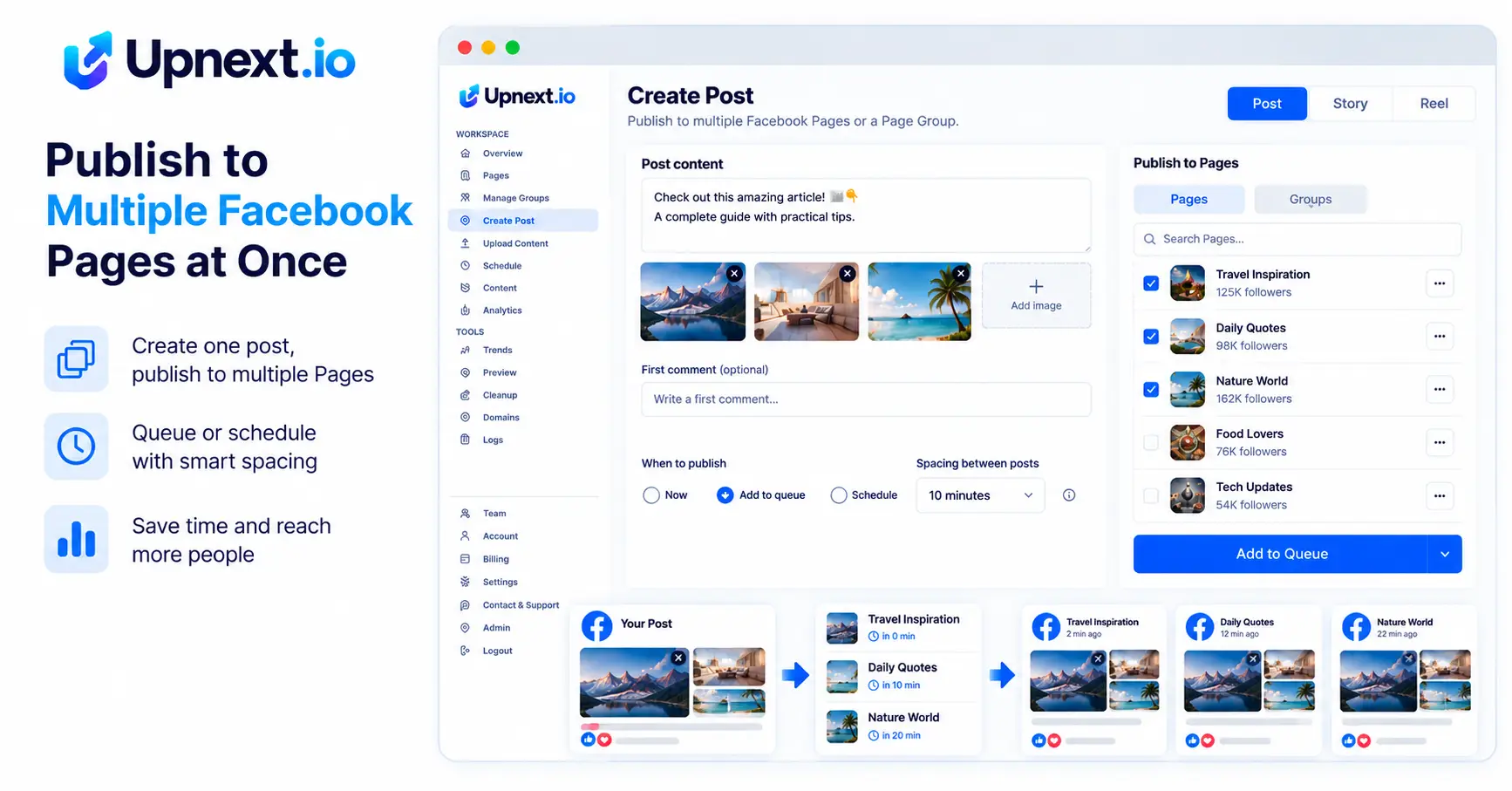
You prepare the publication once, but each selected Page has its own delivery result. Review those results separately after the job runs.
With a planned start of 09:00 and five-minute spacing, three Page copies are planned for 09:00, 09:05 and 09:10. These are intended times; inspect delivery status to confirm what actually published.
If two Pages publish and the third fails, inspect the failed destination before starting another full batch. This helps avoid repeating content on the Pages that already succeeded.
One composer action can result in several Facebook Page posts. Review how your selected plan counts those deliveries in plans and pricing. The number of clicks in the composer should not be used to infer the allowance.
Bring Page selection, scheduling, spacing, queues and publishing history into one Upnext workspace.
Get Started Free →Save frequently used destinations with Facebook Page Groups instead of rebuilding the same Page selection for every publication. When the same content should not reach every Page at once, use staggered Facebook publishing to space Page copies across the publishing workflow.
For larger content batches, bulk upload Facebook posts, Reels and Stories from a prepared workflow. For individual publications, the Facebook Post Scheduler handles publish-now and scheduled delivery.