

Create & Schedule Facebook Text Posts With Colored Backgrounds
Choose a native Facebook background, write your text, select one or many Pages, and publish now or schedule it for later — without turning your post into an image.
Your next idea can be simple and visual.
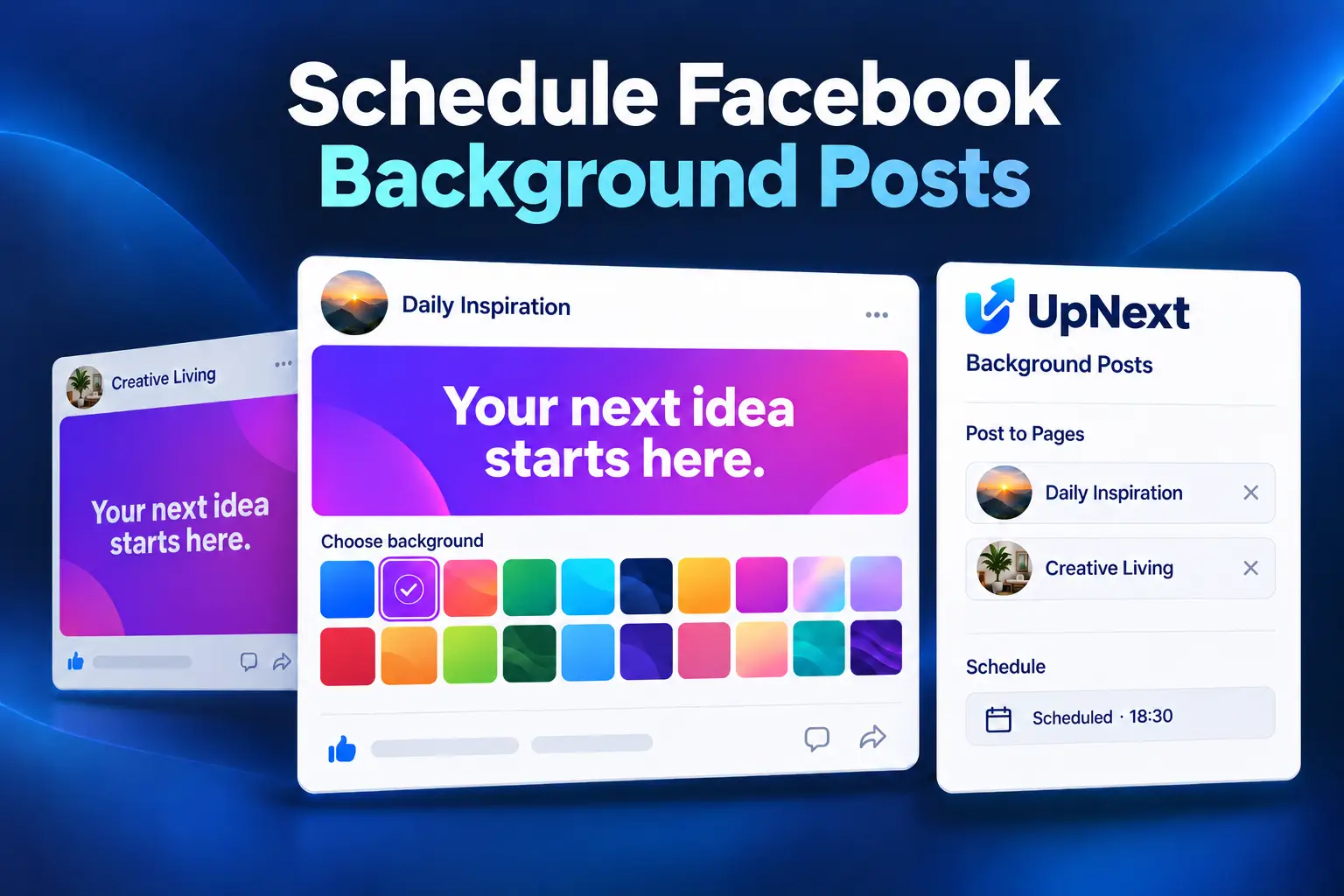
Built around the Facebook workflow you actually need
Plan, create and distribute Facebook content without turning a focused task into repetitive Page-by-Page work.
Native backgrounds, not generated images
Upnext uses Facebook native text background posts. Your post remains a Facebook text post with the selected background instead of becoming a flattened image.
Schedule colored background posts
Create the post now and choose Publish Now, Normal Queue, or Schedule Manually. The same workflow works with native background posts.
Publish across multiple Facebook Pages
Write the post once, select multiple Pages or a Page Group, and distribute the background post without rebuilding it Page by Page.
Preview before publishing
The composer changes immediately when you choose a background, so you can see the text treatment before sending it to Facebook.
Keep first comments in the workflow
Add an optional first comment while creating the post, then keep the publishing workflow together instead of returning to every Page manually.
Plan it from your calendar
Scheduled background posts fit into the same Upnext content workflow, alongside Posts, Reels and Stories.
How this fits into Upnext
Upnext is a Facebook publishing and traffic workspace for professionals managing content across Pages. This feature connects directly to publishing, scheduling, Page selection and content management instead of living in a separate planning tool.
Continue with Facebook Content Calendar, Text Post Scheduler, Facebook Background Posts, Multi-Page Publishing and the main Facebook Post Scheduler.
Why this workflow matters
Small publishing details become expensive when they have to be repeated across many Pages. Upnext keeps the creation step simple while preserving the operational controls needed for multi-Page publishing.
Frequently asked questions
Can I schedule Facebook posts with colored backgrounds?
Yes. In Upnext you can choose a native Facebook background for a text-only post and schedule it for later.
Can I publish one background post to multiple Facebook Pages?
Yes. Select multiple Pages before publishing or scheduling the post.
Does Upnext convert the text into an image?
No. The feature publishes a native Facebook text background post.
Can I add an image to a colored background post?
Background posts are text-only. Choosing media returns the composer to the standard post format.
Can I publish immediately instead of scheduling?
Yes. You can publish now, add the post to your queue, or schedule it manually.
Native background post or exported quote image?
A native background keeps the message as a Facebook text post. A quote image combines the words and background into a downloaded picture. Choose the format according to the result you want on the Page.
Keep a native background message short enough to read comfortably in the preview. Adding media changes this workflow back to a standard post.
Prepare a complete publication
Select relevant Pages, check the text treatment and choose a publishing time. Add a first comment only when it contributes useful context. Review delivery in Content after publication.
Follow the step-by-step background scheduling guide, or create a separate image with the quote image generator. The two tools solve different formatting tasks.
Try it in your Facebook workflow
Create, schedule and manage Facebook content from one workspace built around Pages and traffic operations.
Start free