01
Select multiple Facebook Pages
Choose one or several connected Pages and create cleanup previews from the same workspace.


Clean up old posts across one or multiple Facebook Pages. Filter by age or keyword, preview every match, review what is selected, then confirm deletion only when you are ready.
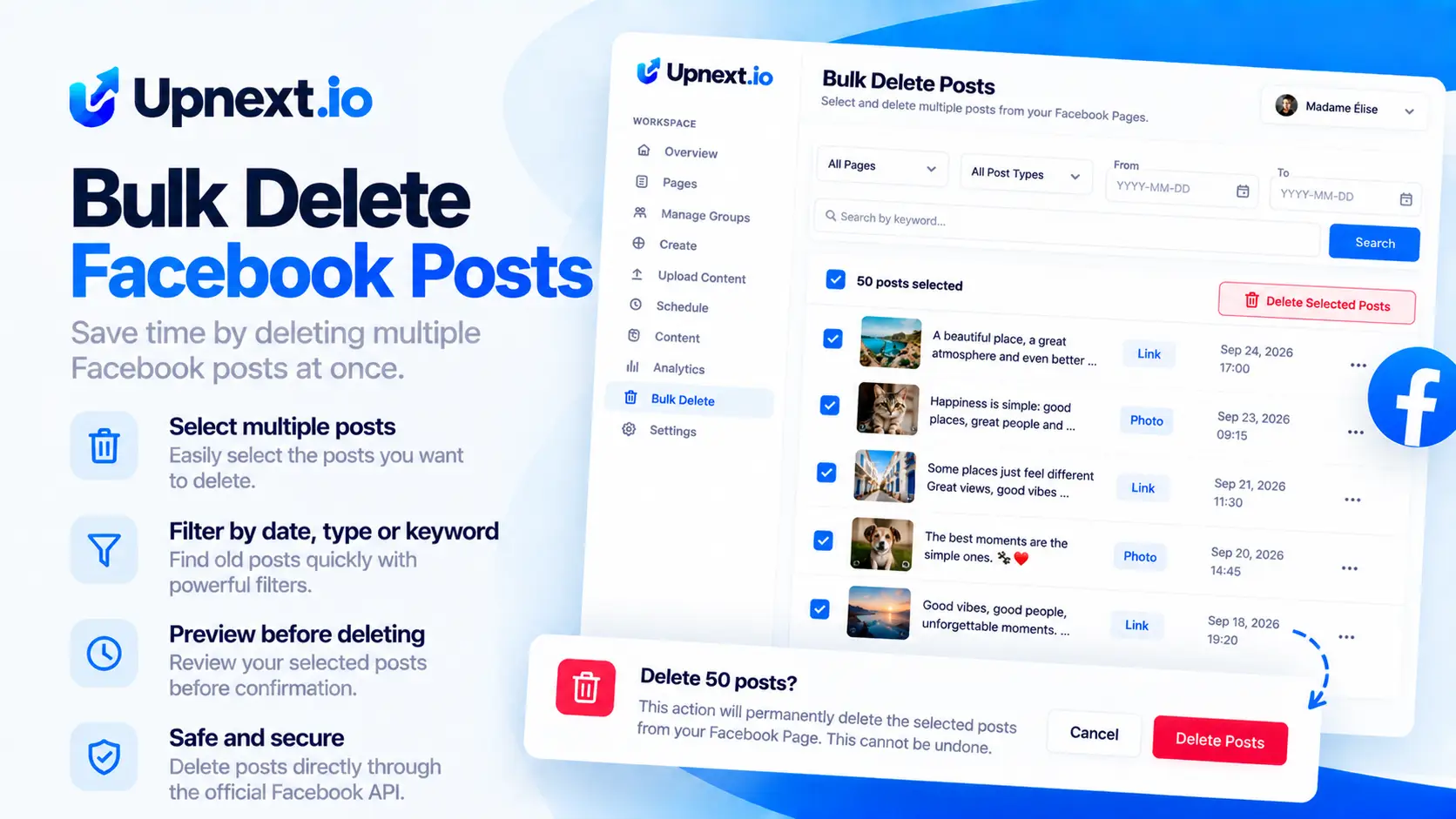
Upnext gives Facebook publishers and Page operators one place to scan, review and clean older Page content across connected Pages.
Choose one or several connected Pages and create cleanup previews from the same workspace.
Define how old the content should be and narrow matching posts using keywords.
Upnext scans the selected Pages and shows matching posts before anything is removed.
Review the cleanup items and decide what should remain selected before confirming the job.
Confirm the cleanup and let the background queue process the selected items while you continue working.
Cleanup jobs can be paused and resumed when you need more control over the operation.
Instead of triggering deletion immediately, Upnext separates scanning, review and confirmation into clear steps.
Want the full cleanup process before you start? Read our guide to bulk deleting Facebook Page posts for a preview-first workflow, filtering tips and a safer cleanup checklist.
Choose the connected Facebook Pages you want to scan for older content.
Set the minimum post age, protect a chosen number of newest posts, and optionally use keywords to narrow the results.
Upnext retrieves published posts and prepares a reviewable list of matches.
Check the selected posts before confirming deletion. Nothing is removed at the preview stage.
The confirmed cleanup moves to the background queue where its progress can be managed.
Publishers who operate several Facebook Pages often need more than a scheduler. Older posts, outdated campaigns and previous publishing experiments can accumulate across Pages.
Upnext combines Facebook publishing operations and Page cleanup in the same workspace, so you can manage content without jumping between every Page individually.
Cleaning a Page because Facebook has restricted its recommendation eligibility requires a more selective approach than deleting everything. See our Facebook Recommendations Suspended recovery guide for the Content Originality and Inauthentic Engagement workflow.
Deleting a handful of posts manually is manageable. The problem changes when a Facebook Page has months or years of publishing history, or when the same cleanup has to be repeated across several Pages.
Upnext is designed for Facebook Page operators who need to find older content in bulk, narrow the results, preview matching posts and control the deletion workflow from one workspace.
Important: this workflow is for connected Facebook Pages. It is not a tool for bulk deleting posts from personal Facebook profiles.
Yes. Upnext can create a cleanup preview for connected Facebook Pages, allowing you to review matching posts before confirming deletion.
You can select one or multiple connected Facebook Pages when creating the cleanup preview.
Yes. Yes. Define an age threshold in days and use the newest-post protection when you want recent content excluded from the cleanup candidates.
Yes. The cleanup filters include a newest-post protection so recent posts can stay outside the candidate set even when the age and keyword rules are broad.
The cleanup workflow supports keyword filtering to help narrow the set of matching posts.
No. Upnext creates a preview first. You review the selected posts and explicitly confirm before deletion begins.
A useful cleanup rule identifies the content you want to review. For example, combine an age threshold with a campaign phrase, then inspect whether the matching posts really belong to that campaign.
You want to remove an expired summer offer. Review matches containing the campaign phrase, check the destination Pages and keep unrelated posts out of the selection. The phrase alone should not make the deletion decision.
Check the cleanup status after confirmation. If some items fail, inspect those results before starting another broad job. Do not assume that a completed scan means every selected post has already been deleted.
Treat confirmed deletion as an action that may be permanent. Preserve any information you still need before proceeding. This is a Page cleanup tool, not a guarantee of recommendation recovery or a personal-profile post remover.
Connect your Facebook Pages, organize your publishing operation and use the cleanup workflow when older content needs attention. Upnext also brings multi-Page publishing and Facebook traffic tracking into the same platform.
Get Started Free →