

How to Schedule Facebook Posts Across Multiple Facebook Pages
Create the post once, select the Facebook Pages that should receive it, choose your publishing workflow, and control the delay between Page deliveries from one workspace.
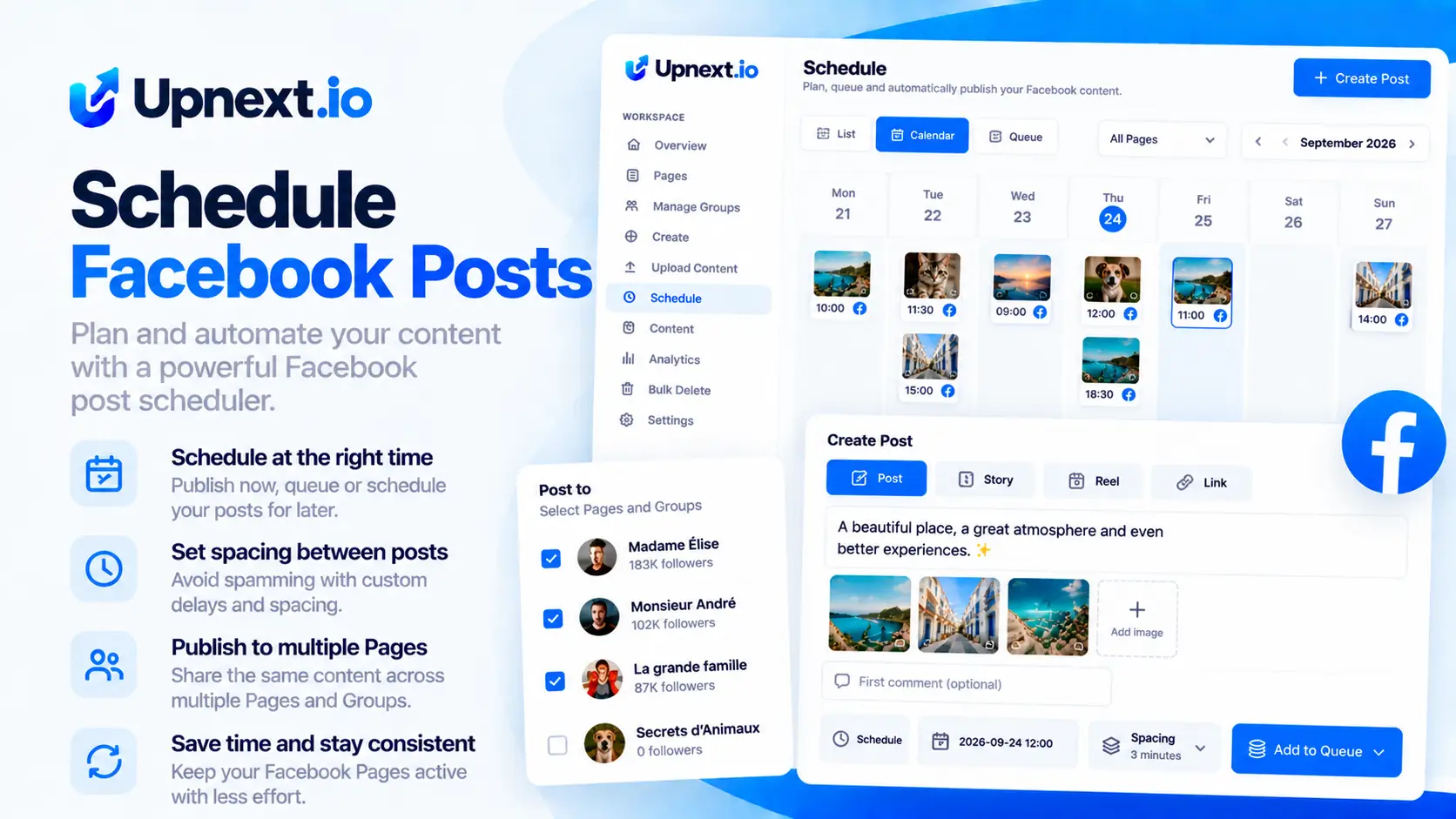
Schedule once instead of rebuilding the post Page by Page
Multi-Page scheduling is not only about choosing a date. It is about managing destinations, media, caption, first comment, timing and Page delivery from the same composer.
Select Pages or a Page Group
Choose individual connected Facebook Pages or load a saved Page Group.
Build the post once
Add media and write the post description from one Facebook Post composer.
Add the first comment
Prepare an optional first comment in the same publishing workflow.
Choose publishing type
Select the publishing workflow that fits the post instead of recreating it for every Page.
Set the delay between Pages
Control spacing between Page deliveries directly from Publishing settings.
Review and publish
Use the live preview, confirm the setup and send the post into your Upnext workflow.
The Facebook Post composer, before you sign up
This simplified reconstruction mirrors the real Upnext Create → Post workflow so you can see how multi-Page publishing is organized.
Create
Create Facebook Post
Drop images here or click to browse
JPG, PNG or WEBP · multiple images supported
Create Facebook-ready posts for sales, engagement, traffic and publishing.Open AI Assistant
Scheduling becomes an operations problem when you manage several Pages
For a single Facebook Page, native scheduling can cover a straightforward workflow. The operational difference appears when the same publishing process has to be repeated across many Pages.
Upnext brings Page selection, saved Page Groups, media, first comment, publishing settings and Page spacing into the same Facebook-first workspace.
Go beyond basic Facebook post scheduling
Connect scheduling to the rest of your Facebook publishing operation.
Multi-Page Publishing
See the dedicated workflow for distributing Facebook content across multiple Pages.
First Comment
Add the first comment as part of your Facebook publishing workflow.
Facebook Traffic
Connect publishing with Page- and publication-level traffic tracking.
Facebook post scheduling questions
Can I schedule a Facebook post to multiple Pages?
Yes. Upnext lets you select multiple connected Facebook Pages for the same post workflow.
Can I use Page Groups?
Yes. The current Post composer lets you load a saved Page Group or choose individual Pages.
Can I add a first comment?
Yes. The composer includes an optional First comment field, which can be prepared alongside the post.
Can I space publication between Pages?
Yes. Publishing settings include a Delay between Pages control so Page copies do not have to be delivered as one simultaneous batch.
Choose the workflow that fits your Page count
For straightforward native publishing, start with the scheduling options available for your Page in Meta Business Suite. For repeated multi-Page distribution, Upnext combines destinations, timing and first comments in one composer.
In either workflow, check that you are acting as the intended Page and that the date and timezone are correct before confirming.
Review three things after scheduling
- The publication appears in the upcoming plan.
- The selected Pages and intended times match your campaign.
- After delivery, each Page copy has the expected result.
If you need to change a scheduled item, use the available editing controls and recheck the plan. Do not create a replacement before checking whether the original is still scheduled or has already published. If delivery does not happen as expected, use the scheduled post troubleshooting guide to work through the status, Page access, connection and media checks.
One post. Multiple Facebook Pages.
Build the post once, choose the Pages, control publishing and Page spacing, and manage the workflow from Upnext.
Try Upnext Free →New ways to schedule Facebook posts
Upnext now supports text-only Facebook posts, native colored background posts, and planning from a visual Facebook Content Calendar.