

Automatically Publish Facebook Posts Across Multiple Pages
Prepare content ahead of time, choose the Facebook Pages or Page Groups that should receive it, then let your schedule or queue handle delivery — with controlled spacing, first comments and traffic tracking built into the workflow.
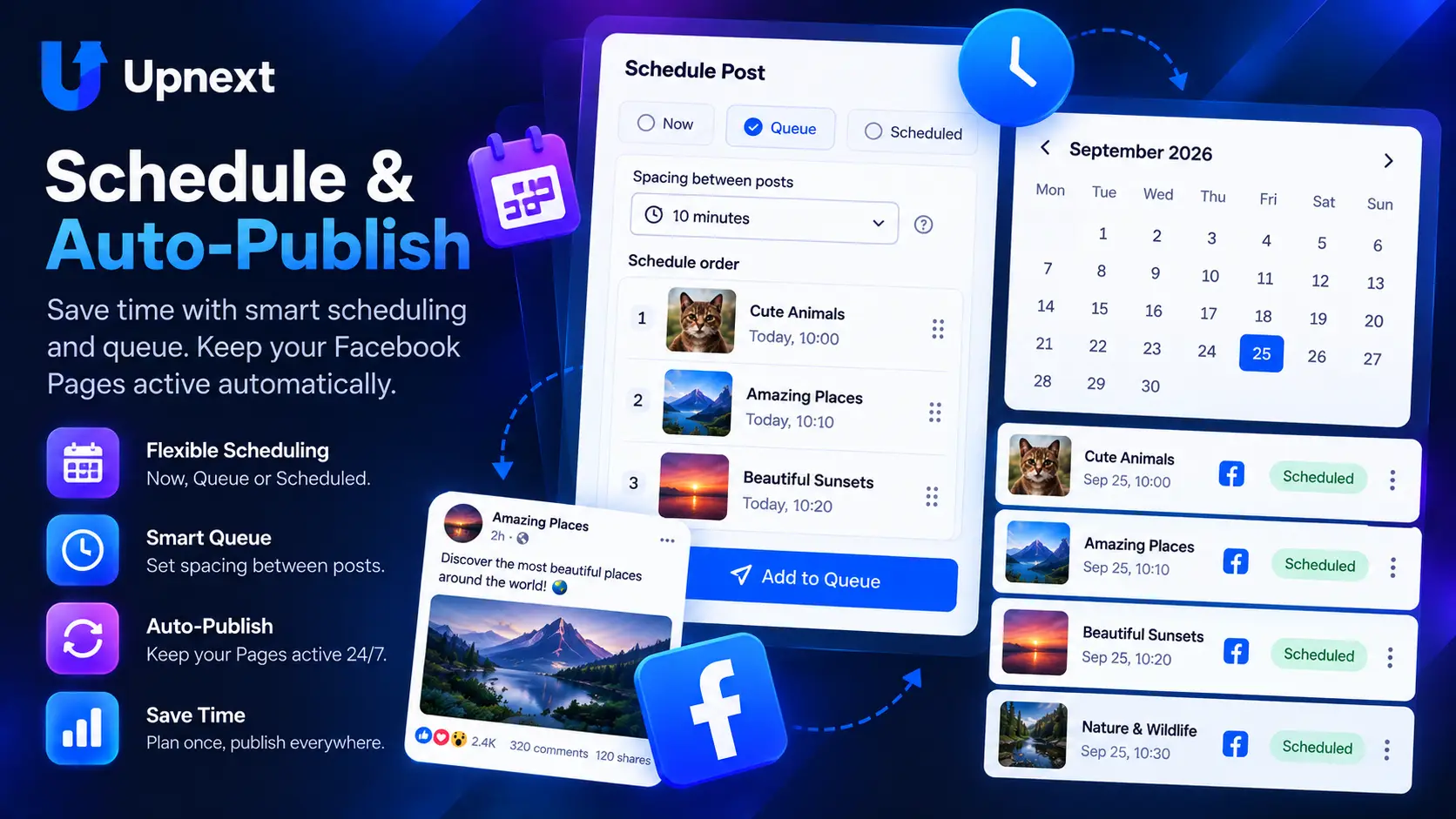
Build the plan once. Let the publishing workflow run.
Auto posting should remove repetitive publishing work without removing your control over the content, destination Pages or timing.
More than a button that posts later
Upnext connects automatic publishing to the surrounding work a Facebook traffic publisher repeats every day.
Publish across the right Pages
Select multiple connected Pages or reuse Page Groups instead of rebuilding the same destination list for every publication.
Use recurring publishing slots
Add reviewed content to your queue when you want the next available publishing slot instead of choosing a new clock time for every post.
Control Page delivery intervals
Apply configurable spacing when the same publication should reach selected Pages at different times.
Prepare more content at once
Use CSV bulk import for Posts, Reels and Stories, or prepare multiple media publications for your multi-Page workflow.
Prepare the comment with the post
Add an optional first comment — including a useful link or context — as part of the publication you prepare in advance.
Keep publishing connected to clicks
Use automatic UTM tracking and Upnext traffic reports to connect outbound clicks with the Page and publication that generated them.
Facebook auto posting vs. Facebook post scheduling
The two ideas overlap, but they answer different questions. Facebook post scheduling is primarily about choosing when a prepared publication should go live. Auto posting is the broader operating workflow: prepare content in advance, define its destinations and rules, then allow scheduled times or recurring queue slots to handle publication without rebuilding the post at delivery time.
Use scheduling when…
- You know the exact date and time.
- A campaign or story has a fixed publishing window.
- You want direct control over each publication time.
Use a queue when…
- You publish repeatedly throughout the week.
- You already have reviewed content ready to go.
- You want recurring slots to determine the next publication time.
Both workflows can be useful in the same operation. A breaking article may need a fixed scheduled time, while evergreen content can wait in a queue for an appropriate recurring slot.
Auto post to multiple Facebook Pages without rebuilding every publication
For publishers managing a network of Pages, the repetitive work is often not writing the caption — it is selecting destinations, repeating timing choices, preparing first comments and keeping track of what went where. Upnext’s multi-Page publishing workflow lets you prepare once and choose the relevant destinations together.
Reusable Facebook Page Groups make that faster when the same set of Pages frequently receives related content. If those deliveries should not happen simultaneously, staggered publishing lets you control the interval between them.
Automatic publishing should still be reviewed publishing
Automation is useful when it removes repetitive execution, not when it removes editorial judgment. Review the caption, destination link, media, Pages and timing before adding a publication to an automatic workflow. Timely news, expired offers and changed article destinations should not keep circulating simply because a queue exists.
The workflow described here starts with content you prepare or import into Upnext. It is designed for controlled Facebook Page publishing, not scraping, browser automation or unattended RSS-to-Facebook syndication.
Bring traffic attribution into the same workflow
Automatic publishing becomes more useful when you can evaluate what the publications produced. Upnext can apply automatic UTM tracking and report Facebook traffic by Page and post, helping publishers compare the content and destinations sending readers to their websites.
A tracked click is not the same as a website session, conversion or revenue result. Use Upnext publishing and click data alongside your website analytics when evaluating business outcomes.
Who is a Facebook auto poster for?
This workflow is most useful for publishers, media operators, agencies and Page managers who prepare content in advance and publish repeatedly across multiple Facebook Pages. If you occasionally publish to one Page, Facebook’s native tools may already cover the basic scheduling need.
Upnext is deliberately Facebook-first. The value is not claiming to automate every social network; it is connecting multi-Page Facebook publishing with Page Groups, queues, spacing, first comments, link workflows, traffic attribution, analytics and content management in one publisher-focused workspace.
Continue from auto posting into the rest of your operation
Facebook auto posting questions
What is a Facebook auto poster?
A Facebook auto poster lets you prepare Page content in advance and have it published according to a schedule or queue. Upnext focuses on controlled Facebook Page publishing rather than scraping or browser automation.
Can I auto post to multiple Facebook Pages?
Yes. In Upnext you can prepare content once, select multiple connected Facebook Pages or a Page Group, and publish now, schedule it or add it to a queue. You can also control spacing between Page deliveries.
Is auto posting the same as scheduling?
Scheduling assigns a specific time. Auto posting is broader: a prepared publication can be delivered later through a fixed schedule or through recurring queue slots.
Can I include a first comment?
Upnext supports preparing an optional first comment with supported Facebook publication workflows, including a link or additional context when appropriate.
Does Upnext auto post from RSS feeds?
No. This page does not describe RSS-to-Facebook automation. It covers content that you prepare or import into Upnext and then publish through schedules or queues.
Can I track traffic from automatically published posts?
Upnext supports UTM workflows and click attribution by Facebook Page and publication. Use those reports together with your website analytics for downstream sessions and conversions.
Prepare the content. Set the plan. Keep publishing moving.
Run repeat Facebook publishing across multiple Pages without rebuilding the same operational steps for every delivery.
Get Started Free →