

Organize Pages
Keep connected Pages visible in one workspace and use reusable Page Groups when the same destinations frequently belong together.
Managing several Facebook Pages is easier when Page organization, content preparation, publishing, tracking and cleanup follow one repeatable workflow. This guide shows how to structure that operation without treating every Page as a separate publishing job.
Keep the workflow organized while preserving control over which Facebook Page receives each publication.
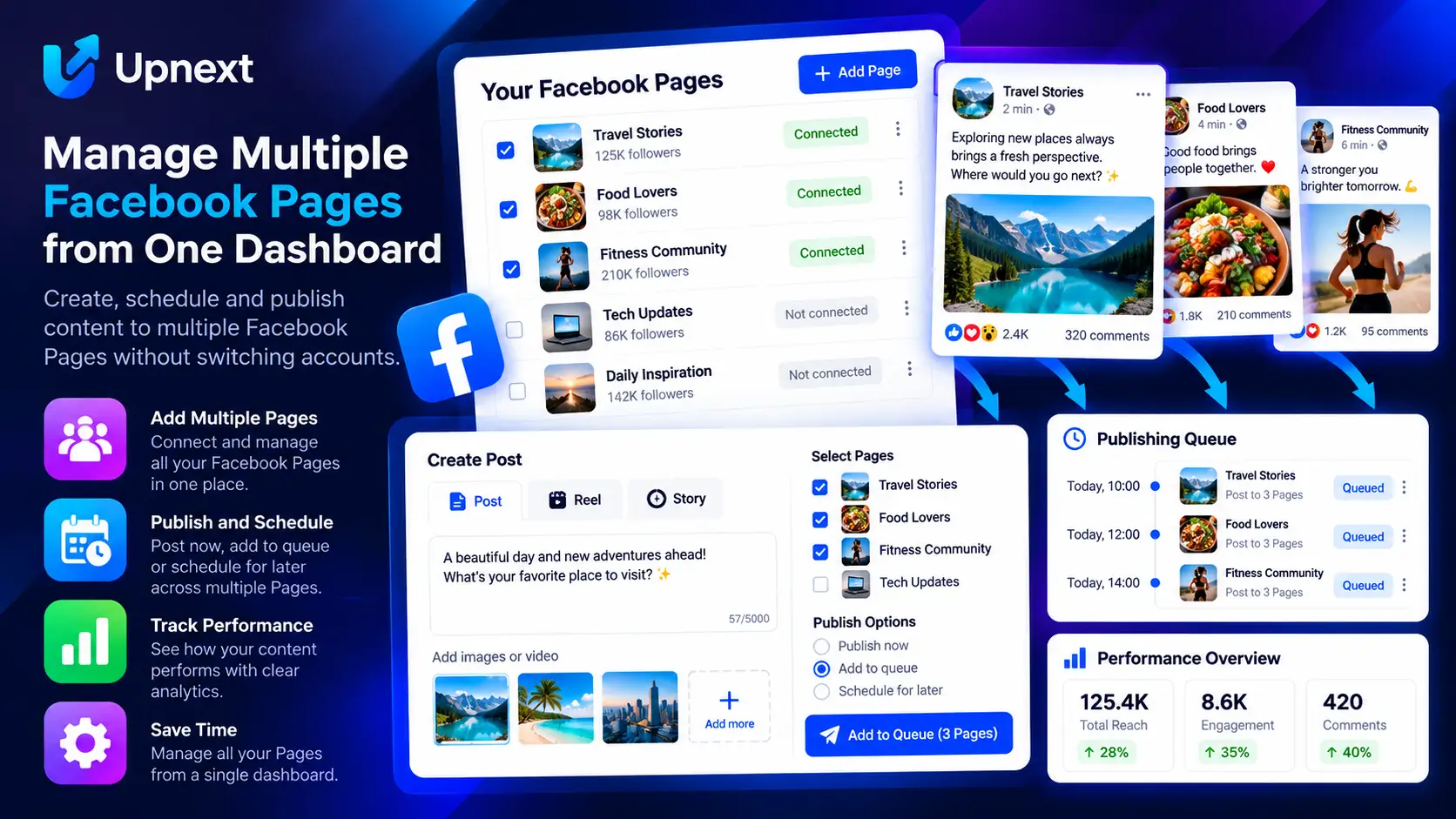
The goal is not to publish identical content everywhere. It is to make Page selection, timing and measurement easier while keeping editorial control over what belongs on each Page.
Keep connected Pages visible in one workspace and use reusable Page Groups when the same destinations frequently belong together.
Create the publication, media, destination link and optional first comment before deciding how it should move through the network.
Select individual Pages or a Page Group, then publish now, schedule for later or use your queue.
Use staggered publishing when copies should not be sent to every selected Page at the same moment.
Review publishing activity, engagement and tracked traffic at the level needed to understand which Page and publication produced the result.
Review published content, recycle appropriate evergreen material and use controlled cleanup workflows when old posts need attention.
Start by connecting the Facebook Pages that belong in the workspace. Give yourself a clear view of the Facebook Pages in the operation before increasing publishing volume. Pages that regularly share the same publishing workflow can be organized into Page Groups, while unusual campaigns can still use individual Page selection.
Prepare the message, images or video, destination link and first comment before selecting the final distribution plan. When content is ready, the multi-Page publishing workflow lets you choose the Pages that should receive it without rebuilding the publication for each destination.
Use immediate publishing for content that should go live now. Use the Facebook Post Scheduler for a specific future time, or use a Facebook post queue when recurring publishing slots are part of the routine.
If prepared content should move through a broader automatic publishing operation, the Facebook auto poster workflow connects Pages, queues and delivery rules.
When several selected Pages should receive copies at different times, use staggered Facebook publishing to control the spacing between Page deliveries. This keeps timing decisions inside the publishing workflow instead of requiring separate manual schedules.
A combined dashboard is useful for operating the network, but management decisions still need Page-level and post-level context. Use Facebook Page analytics for the Page view and Facebook post analytics for publication-level performance.
For website publishers, tracked clicks add another layer. Use Facebook traffic tracking to connect outbound traffic with the relevant Page and publication rather than judging the operation only from aggregate totals.
Check that publications entered the intended workflow and review published content before deciding what deserves another run. Evergreen content can be reused selectively, while expired or unwanted content can move through a controlled Facebook content cleanup process.
The operational advantage comes from repetition: organize Pages, prepare content, choose destinations, publish with the appropriate timing, measure results and manage the content lifecycle. The next publication then starts from an established system rather than a collection of separate Page tasks.
Repeatedly rebuilding the same publishing operation increases manual work. Centralize preparation while preserving Page-level destination choices.
Multi-Page capability should reduce repetitive work, not remove editorial judgment. Select Pages because the content fits their audiences.
Total followers, clicks or activity can describe the network, but Page and post views are needed to understand where performance actually came from.
Use a repeatable workflow for organizing Pages, preparing content, selecting destinations, scheduling or queueing publications, measuring results and managing published content.
No. Multi-Page publishing reduces repetitive work, but Page selection should still reflect the audience and relevance of each publication.
Yes. Upnext supports reusable Page Groups for Pages that regularly belong to the same publishing workflow.
Yes. Upnext supports multi-Page publishing with immediate publishing, scheduling and queue-based workflows, along with configurable delivery spacing.
Use the network overview for operations, then review Page-level and post-level analytics and tracked traffic when deciding which Pages and publications are producing results.
Organize Pages, publish with control, track results and manage the content lifecycle without rebuilding the operation for every Page.
Try Upnext Free →